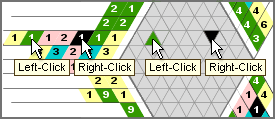
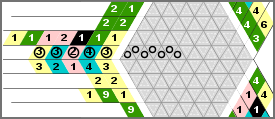
Shift+Left-Click - places a "o" on the clues and/or the grid area.
Ctrl+Left-Click - removes the "o".
Drag+Shift/Ctrl Left-Click - places/removes several "o"s.
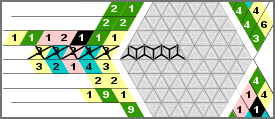
Shift+Right-Click - places a "Y" on the clues and/or the grid area.
Ctrl+Right-Click - removes the "Y".
Drag+Shift/Ctrl Right-Click - places/removes several "Y"s.
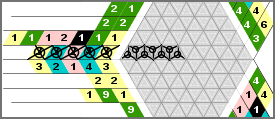
You can also place "o" and "Y" together on one clue or cell and get a 3rd option to mark your clues or cells on the grid.
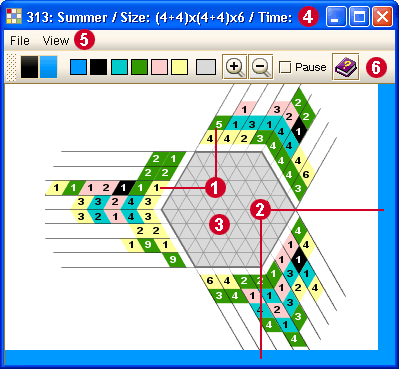
The Info Bar 这将显示拼图的ID,描述和大小,并且您的拼玩用时,如果您选择“隐藏描述”模式,您将看不到拼图描述。
The Menu
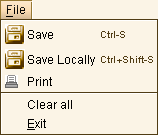
使用 保存 (按Ctrl-S) - 可以在在线保存您的拼图
当地保存(按Ctrl+Shift-S) -为了在电脑上保存您的工作 This feature is available only to subscribers.
打印 -
为了把拼图直接从附属程序打印到您的打印机 您可以打印一个部分解决的拼图,或选择“清除”以打印一个空的拼图。 This feature is available only to subscribers.
清除所有 -
可以完全清除拼图区域,删除所有您在三边格内涂写的颜色,并将你的拼玩用时重置为零。
退出 - 可以关闭拼图窗口
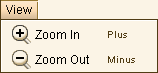
放大(加号) - 可以扩大游戏的视图。 缩小(减号) - 可以缩小游戏的视图。
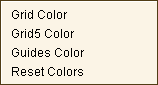
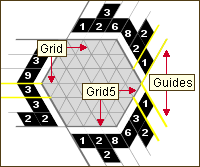
为网格线和Grid5线选择最颜色。 为显示您鼠标位置的线索周围的厚颜外形选择颜色。 系统将设置这些颜色为所有拼图的默认设置。使用“复位颜色”以回到系统的默认颜色 This feature is available only to subscribers.
The Toolbar
The Drag Area allows you to move the Bar on the screen by pressing and holding down the mouse button while moving the mouse. You can drag the Bar out of the frame and make it a floating window. If you close the window (click on the X) the floating window goes back to its place. You can also move it to another location on the screen (left, right, bottom).
The Markers indicate the colors of your Left and Right Mouse Buttons.
If you Left-Click on a clue - the Left Marker will change to the color that you clicked on. The same happens with the Right Marker if you Right-Click on a clue.
In 2-color puzzles the Left Button designates the Clues and the Right Button designates the Background as the default.




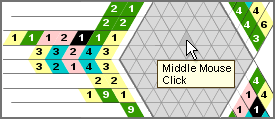







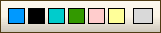
 这是解决区域的颜色。 使用它去请除线索或您在拼图上安置的背景方格